Managing a project can quickly turn chaotic when your tasks, deadlines, and team updates are scattered and unclear. Keeping everyone aligned and accountable often feels out of reach, especially when manual tracking or unclear objectives slow down progress and create confusion. You want to deliver results efficiently but need reliable methods that actually work in real project environments.
This list reveals practical steps enriched by expert-tested frameworks and smart tools that solve the most common task tracking challenges. From defining measurable objectives with the SMART framework to unlocking the benefits of visual Kanban boards, you’ll discover clear actions to organize, monitor, and optimize your team’s workflow. Get ready to uncover proven strategies that will change how you approach project task tracking and let your team work with true clarity and confidence.
Table of Contents
- 1. Define Clear Task Objectives And Deadlines
- 2. Use Automated Tools For Efficient Tracking
- 3. Integrate Task Tracking With Team Calendars
- 4. Implement Permission Controls For Accountability
- 5. Leverage Kanban Boards For Visual Progress
- 6. Automate Routine Updates And Reminders
- 7. Review And Optimize Tracking Processes Regularly
1. Define Clear Task Objectives and Deadlines
Successful project management begins with establishing crystal clear task objectives and firm deadlines. Setting precise goals provides your team with a roadmap for success and ensures everyone understands exactly what needs to be accomplished.
When defining project objectives, project managers should follow the SMART framework to create targets that are specific, measurable, achievable, relevant, and time bound. This approach transforms vague intentions into concrete action plans. Project objectives guide planning and execution by creating a shared understanding of expected outcomes.
To implement this effectively, break down larger project goals into granular, trackable tasks. Each task should have a precise description, assigned owner, estimated effort, and a non negotiable deadline. This level of clarity eliminates ambiguity and prevents potential miscommunications that can derail project progress.
For example, instead of saying “Update marketing materials,” a SMART objective would read “Redesign company brochure with new brand guidelines by March 15th, led by Marketing Coordinator Sarah Johnson, requiring approximately 20 work hours.”
Tracking these objectives using digital dashboards or project management tools allows real time visibility into progress, helping teams stay aligned and accountable. Regular check ins and status updates ensure that everyone remains focused on delivering results within the established timeframes.
Pro Tip: Create a visual project timeline that displays all key milestones and deadlines, making objectives transparent and easily digestible for your entire team.
2. Use Automated Tools for Efficient Tracking
In the fast paced world of project management, manual tracking is no longer sustainable. Automated tracking tools have emerged as game changing solutions that transform how teams monitor progress, allocate resources, and maintain accountability.
Automation technology enables project managers to streamline task monitoring with unprecedented precision. These tools eliminate repetitive administrative work by automatically capturing task status, tracking time spent, generating performance reports, and sending real time notifications about project milestones.
When selecting an automated tracking tool, focus on platforms that offer comprehensive features such as customizable dashboards, real time collaboration, and integrated reporting. The right tool should provide visibility across multiple projects, allow team members to update their progress instantly, and generate actionable insights without manual intervention.
Key features to look for include:
Automatic Time Tracking
- Log work hours seamlessly
- Generate accurate billing reports
- Reduce manual data entry errors
Progress Visualization
- Create visual project timelines
- Track task completion percentages
- Identify potential bottlenecks quickly
Integrated Communication
- Sync updates across team platforms
- Send automatic status notifications
- Reduce email communication overhead
Implementing an automated tracking system can dramatically improve team productivity by reducing administrative overhead and providing transparent, instant project insights. Modern project management platforms can help teams save up to 10 hours per week on tracking and reporting activities.
Pro Tip: Choose a tracking tool with mobile compatibility so team members can update tasks and track progress from anywhere, ensuring real time collaboration and flexibility.
3. Integrate Task Tracking with Team Calendars
Modern project management demands seamless coordination between task tracking and team scheduling. By integrating your task management system with team calendars, you create a powerful synergy that transforms how your team plans, executes, and delivers work.
Calendar integration provides a holistic view of project timelines, individual workloads, and critical deadlines. This approach eliminates scheduling conflicts, reduces communication overhead, and ensures that every team member understands their responsibilities and availability.
When implementing calendar integration, focus on tools that offer real time synchronization across multiple platforms. Look for features that allow automatic task deadline updates, availability tracking, and collaborative scheduling. These capabilities help teams:
Optimize Team Scheduling
- Visualize individual and collective workloads
- Prevent double booking of team resources
- Identify potential scheduling bottlenecks
Enhance Task Visibility
- Display task deadlines directly in team calendars
- Automatically update task status across platforms
- Provide instant insights into project progress
Improve Resource Management
- Track team member availability
- Allocate tasks based on current workload
- Prevent team burnout through balanced scheduling
Successful calendar integration requires selecting tools that communicate across different platforms and respect individual team member preferences. The goal is creating a unified system that feels intuitive and supportive rather than restrictive.
Pro Tip: Select a calendar integration tool that allows customizable notification settings, enabling team members to control how and when they receive scheduling updates.
4. Implement Permission Controls for Accountability
Accountability is the cornerstone of successful project management, and permission controls are the key mechanism for ensuring responsible task tracking and team collaboration. By strategically implementing access restrictions, project managers can protect sensitive information and maintain precise control over project workflows.
Permission controls help define clear project objectives by establishing transparent boundaries for task management. These controls create a structured environment where team members have appropriate access levels based on their roles and responsibilities.
Access Level Design involves creating a hierarchical system that matches team member responsibilities with corresponding permissions. Typical permission structures include:
Administrator Permissions
- Full system access
- Create and delete tasks
- Modify project settings
- Manage team member roles
Manager Permissions
- Edit specific project tasks
- Assign and reassign work
- Generate performance reports
- Monitor team progress
Team Member Permissions
- Update personal task status
- View assigned tasks
- Log work hours
- Communicate task details
When implementing permission controls, focus on creating a balance between transparency and security. The goal is to provide team members with the access they need to perform effectively while protecting sensitive project information from unauthorized modifications.
Modern project management platforms offer granular permission settings that can be customized to match your organization’s unique workflow. Look for tools that allow role based access controls, detailed audit logs, and flexible permission configurations.
Pro Tip: Conduct quarterly permission audits to ensure that team member access levels remain aligned with their current roles and project responsibilities.
5. Leverage Kanban Boards for Visual Progress
Kanban boards transform task tracking from a complex administrative process into an intuitive visual experience. These dynamic tools provide project managers with an immediate snapshot of team productivity and project momentum.
Kanban boards help teams track task progress effectively by organizing work into clear visual columns that represent different stages of completion. This approach enables instant understanding of project status and potential bottlenecks.
Typical Kanban Board Columns
- To Do: Unstarted tasks awaiting assignment
- In Progress: Active tasks currently being worked on
- Review: Tasks pending final approval or evaluation
- Completed: Finished and verified tasks
Benefits of Visual Task Management
- Instant project status visibility
- Clear task ownership tracking
- Quick identification of workflow impediments
- Improved team communication
- Enhanced workload distribution
Successful Kanban implementation requires thoughtful column design that matches your team workflow. Each task should include critical information such as assigned team member, estimated completion time, and priority level.
Most digital project management platforms now offer customizable Kanban board interfaces that can be tailored to your specific project requirements. Look for tools that allow drag and drop task movement, real time updates, and detailed task annotation capabilities.
Pro Tip: Color code task cards based on priority or complexity to provide an additional layer of visual information that helps team members quickly assess project dynamics.
6. Automate Routine Updates and Reminders
Routine administrative tasks can consume valuable time that could be spent on strategic project work. Automation of updates and reminders transforms project management by eliminating repetitive manual communication and ensuring consistent team engagement.
Modern project management platforms offer powerful automation capabilities that can dramatically reduce administrative overhead. These intelligent systems can automatically trigger notifications, send status reminders, and update team members without requiring constant manual intervention.
Key Automation Opportunities
- Status Updates: Automatic progress tracking emails
- Deadline Warnings: Proactive reminders before task completion dates
- Resource Allocation: Notifications about team member availability
- Milestone Alerts: Instant communication when project stages change
Benefits of Automated Communication
- Reduced manual follow up time
- Consistent communication across team
- Improved project transparency
- Minimized communication gaps
- Enhanced team accountability
Successful automation requires carefully designed workflow rules that match your team dynamics. Configure notifications to be informative without becoming overwhelming. Select platforms that allow granular control over communication frequency and delivery methods.
Implement a tiered notification system that prioritizes critical updates while allowing team members to customize their alert preferences. This approach ensures important information reaches the right people at the right time without creating communication fatigue.
Pro Tip: Create a communication matrix that defines specific automation rules for different project stages and team roles to maximize efficiency and minimize unnecessary interruptions.
7. Review and Optimize Tracking Processes Regularly
Task tracking is not a set it and forget it strategy. Continuous improvement of your project management processes ensures that your team remains agile, efficient, and responsive to changing business needs.
Regular process optimization involves systematically evaluating your current task tracking methods, identifying inefficiencies, and implementing strategic improvements. This approach transforms task management from a static administrative function into a dynamic performance enhancement tool.
Key Optimization Focus Areas
- Workflow Analysis: Examine current task tracking procedures
- Performance Metrics: Review team productivity indicators
- Technology Assessment: Evaluate current tracking tools and platforms
- Team Feedback: Gather insights from team members
Optimization Evaluation Criteria
- Speed of task completion
- Accuracy of progress reporting
- Ease of team collaboration
- Resource utilization efficiency
- Overall team productivity
Successful optimization requires a structured approach. Conduct quarterly reviews that include comprehensive performance assessments, technological capability evaluations, and team feedback sessions. Look for patterns of inefficiency, bottlenecks, and opportunities for streamlining your task tracking processes.
Most advanced project management platforms offer built in analytics and reporting features that can help you track key performance indicators. Leverage these tools to gain data driven insights into your team workflow and identify areas for potential improvement.
Pro Tip: Schedule a dedicated 90 minute optimization workshop every quarter where your team collectively reviews and brainstorms improvements to your task tracking processes.
Below is a comprehensive table summarizing the strategies and key takeaways for effective project management as discussed throughout the article.
| Key Strategy | Implementation Steps | Benefits and Outcomes |
|---|---|---|
| Define Clear Objectives and Deadlines | Follow the SMART framework for task detailing and create non-negotiable deadlines. Use project management tools for visibility and regular check-ins. | Facilitates clarity, alignment, and accountability within the team. |
| Utilize Automated Tracking Tools | Select tools with features like automatic time tracking and integrated communication. Ensure compatibility with team demands. | Enhances accuracy, productivity, and reduces manual workload. |
| Integrate with Team Calendars | Synchronize task management with team schedules. Emphasize real-time synchronization and collaborative planning. | Streamlines coordination, mitigates conflicts, and balances workloads. |
| Implement Permission Controls | Define role-based access within project platforms. Conduct periodic audits to align permissions with responsibilities. | Enhances security, accountability, and task oversight. |
| Use Kanban Boards | Organize tasks visually into columns representing progress stages. Customize to your team’s workflow. | Improves task visualization, workflow transparency, and priority management. |
| Automate Updates and Reminders | Implement rules for automated communications to notify about task statuses and resource allocations. | Saves time, ensures task awareness, and supports engagement. |
| Regularly Optimize Processes | Review workflows, track performance metrics, evaluate tools, and incorporate team feedback quarterly. | Promotes continuous improvements and adapts to workflow needs. |
Unlock Seamless Task Tracking with Gammatica
The article highlights common challenges project managers face such as setting clear objectives, maintaining accountability through permission controls, and automating tedious updates. If your team struggles with these pain points or aims to implement best practices like Kanban boards and calendar integrations, Gammatica offers a comprehensive AI-driven solution designed to transform how you manage tasks and projects. With features like intuitive task management, automated notifications, and robust permission systems, Gammatica helps you reduce administrative burden and reclaim precious time.
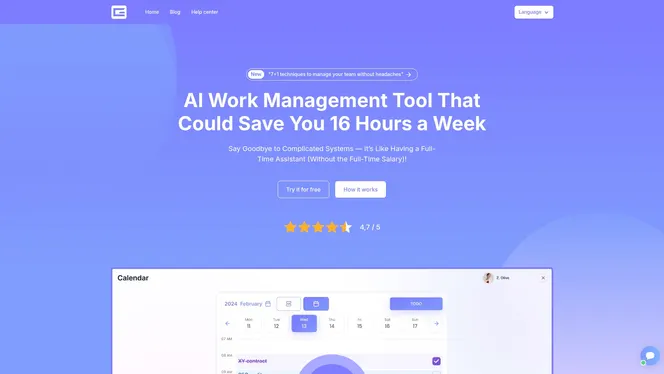
Experience the future of project management where clarity, accountability, and automation work together effortlessly. Visit Gammatica now to explore how our platform’s powerful tools can align perfectly with the strategies outlined in “7 Task Tracking Best Practices for Project Managers.” Start optimizing your workflows today by discovering tools for task management and team collaboration that make meeting deadlines and tracking progress simpler than ever before.
Frequently Asked Questions
How can I define clear task objectives for my project?
Establish clear task objectives by using the SMART framework: specific, measurable, achievable, relevant, and time-bound. Break down larger goals into smaller tasks to provide clarity and set non-negotiable deadlines for each.
What are the benefits of using automated tools for task tracking?
Automated tools streamline task monitoring, reduce administrative work, and enhance accountability by automatically capturing task status and generating reports. Implement such a tool to save your team up to 10 hours per week on tracking activities.
How do I integrate task tracking with my team’s calendar?
Integrate your task management system with team calendars to visualize project timelines and individual workloads. Choose tools that offer real-time synchronization to ensure everyone is aware of deadlines and responsibilities, optimizing team schedules.
What should I consider when implementing permission controls in my project management?
When implementing permission controls, ensure they match team member roles and responsibilities to establish accountability. Create a balance between transparency and security, and conduct regular audits to maintain appropriate access levels.
How can Kanban boards improve our task tracking process?
Kanban boards provide a visual representation of task progress, helping teams quickly identify bottlenecks and task ownership. Set up clear columns for different stages of completion, and use color coding to enhance visibility and priority assessment.
What steps should we take to regularly review and optimize our task tracking processes?
Conduct quarterly reviews of your task tracking methods, focusing on workflow, performance metrics, and team feedback to identify inefficiencies. Implement changes based on your analysis to ensure continuous improvement and adapt to changing project needs.